
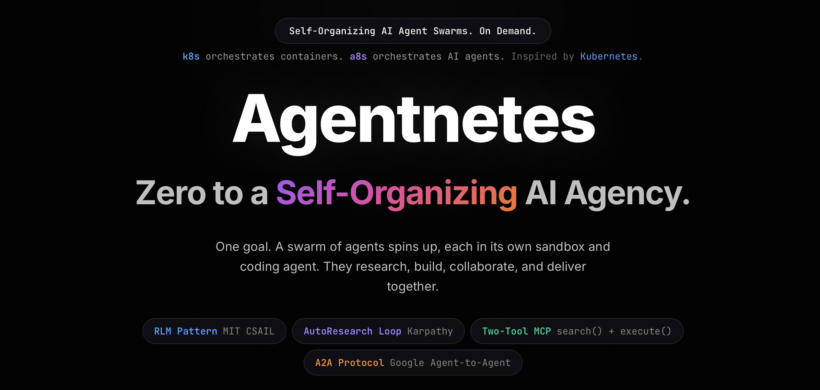
On 21 March, I attended Zero to Agent London, a hackathon hosted by Google DeepMind and Vercel. The challenge was simple: build something with agents. The result was Agentnetes, an open-source agent orchestration system inspired by Kubernetes. It was a great time, the energy was incredible, and building under pressure with cutting-edge tools made the whole experience genuinely fun.
This post walks through what Agentnetes is, how it works under the hood, and how you can try it yourself in two minutes.
What is Agentnetes?
You type a goal. Agentnetes forms a dynamic team of AI agents, each running inside its own isolated sandbox with a coding agent harness. They research, build, collaborate, and deliver verified results back to you. No config files, no agent definitions, no prompt engineering. Just a goal in plain English.
Think of it like Kubernetes, but for AI agents. k8s orchestrates containers. a8s (Agentnetes) orchestrates AI agents. The naming is intentional.
You can try the static demo right now in your browser, no API key needed. Or keep reading to run it for real.
How It Works: The Pipeline
The whole system runs on a six-step pipeline. Here is what happens when you submit a goal.
1. You type a goal
A natural-language description of what you want done. Something like “add comprehensive test coverage” or “find security vulnerabilities in the auth flow and fix them.” No special syntax. No YAML. No agent definitions.
2. The root agent decomposes the task
A Tech Lead agent auto-researches your codebase and breaks the goal into focused sub-tasks. It invents the right specialist team on the fly. Roles are fully emergent and never hardcoded. One goal might need a Scout, an Engineer, and a Tester. Another might need four Engineers and a Security Auditor. The planner decides based on what it discovers in the repo.
3. Each agent gets its own sandbox
Every specialist spins up inside its own isolated sandbox (Firecracker microVM, Docker container, or local) with a full coding agent harness and the repository pre-cloned. No shared state between agents. No stuffed context windows. Each agent works in its own world.
4. Auto-research loops (the RLM pattern)
This is the core innovation. Inside each sandbox, agents run a tight loop based on the RLM pattern from MIT CSAIL: search the codebase, read what they find, reason about the approach, execute code, and verify the result. They repeat until the sub-task is solved or the step budget is reached. Context lives in the filesystem, not the prompt. The RLM paper proved this approach is 2x more effective than stuffing files into prompts.
Each agent has exactly two MCP tools: search() for grep-style codebase search, and execute() for running any shell command in the sandbox. That is it. Every other operation is composed from these two primitives. The token footprint stays under 1,000 tokens regardless of codebase size.
5. Cross-sandbox collaboration
When one agent discovers something another needs, like a failing test, a missing type, or a better pattern, they collaborate using the A2A (Agent-to-Agent) protocol from Google. Agents coordinate through shared findings without sharing filesystems. If the Test Engineer finds a type error, that finding routes back to the Provider Engineer automatically. The runtime handles inter-agent communication.
6. Verified results delivered
The root agent merges all work, validates the combined output, and delivers a complete summary with all artifacts back to you. Real files. Real code. Tests that actually pass.
The Tech Stack
Agentnetes was built during the hackathon with some excellent tools:
- Vercel AI SDK for model integration and the tool-loop agent runtime
- Google Gemini 2.5 Pro for planning (the Tech Lead) and Gemini 2.5 Flash for workers
- Vercel Sandbox (Firecracker microVMs) for cloud isolation, with Docker as the default for local development
- Next.js for the web UI, API routes, and real-time SSE streaming
- Google A2A Protocol for cross-agent collaboration
The model layer is completely swappable. You can route through the Vercel AI Gateway or call Google directly. Change one environment variable and the entire swarm switches models.
Getting Started
You can go from zero to running agents in under two minutes. No installation required.
Step 1: Get a Google API key
Grab a free key from aistudio.google.com. The free tier is more than enough to get started.
Step 2: Pull the Docker base image
docker pull node:20-alpineThis is a one-time step. Each agent gets its own container based on this image.
Step 3: Run it
cd your-project
GOOGLE_API_KEY=your_key npx agentnetes run "add comprehensive test coverage"
That is it. You will see the Tech Lead analyze the repo, spawn specialist agents, and watch them work in parallel. Terminal output streams in real time showing grep commands, file reads, and code generation as it happens.
Using the Web UI
If you prefer a visual experience, start the built-in web server:
export GOOGLE_API_KEY=your_key
npx agentnetes serve
Then open http://localhost:3000 in your browser. You get a full chat interface on the left and an agent activity panel on the right showing task cards, terminal logs, findings, artifacts, and collaboration events in real time.
Running locally from source
If you want to develop or customize:
git clone https://github.com/Shashikant86/agentnetes.git
cd agentnetes
npm install
cp .env.example .env.local
# Edit .env.local and add your GOOGLE_API_KEY
npm run dev
Then open http://localhost:3000/demo. The UI has a Real/Simulation toggle. Simulation mode plays back pre-scripted scenarios with no API key needed, which is great for exploring the interface.
Simulated demo
Just want to see the UI without setting anything up? The static version is live on GitHub Pages. No API key, no Docker, no setup. It runs entirely in the browser with simulated agent scenarios.
Real demo
Sandbox Providers
Agentnetes supports five sandbox providers, so you can pick the right isolation level for your setup:
- Docker (default) for local development with full isolation
- Vercel Sandbox for Firecracker microVMs with snapshot pre-warming
- E2B and Daytona as additional cloud sandbox options
- Local for the fastest feedback loop when isolation is not a concern
Switch between them with a single environment variable:
SANDBOX_PROVIDER=docker GOOGLE_API_KEY=xxx npx agentnetes run "your goal"What Made the Hackathon Great
The Zero to Agent London hackathon, organized by Google DeepMind and Vercel, was genuinely one of the best hackathon experiences I have had. Building with Gemini 2.5 and Vercel’s infrastructure in a room full of people pushing the boundaries of what agents can do was energizing. The combination of Gemini’s extended thinking for planning and Flash’s speed for parallel execution turned out to be a perfect pairing for this kind of orchestration problem.
The whole idea of treating agents like Kubernetes treats containers, isolated, independently scheduled, fault-tolerant, came together during the hackathon. It was one of those moments where the tools and the idea aligned perfectly.
What is Next
Agentnetes is open source and actively evolving. The core runtime (lib/vrlm/) is completely independent of Next.js, so you can embed it in any Node.js application. The full documentation covers everything from embedding the runtime to the complete event API.
If you want to try it:
Give it a spin, open an issue if something breaks, and let me know what you build with it.