
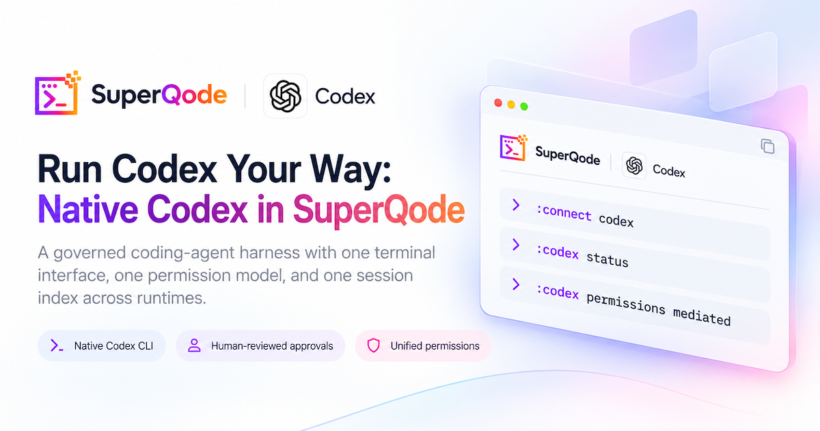
Coding agents now run real commands against real repositories, and the teams adopting them have learned that the model is only one part of the system. The harness around the model decides which commands may run, which files may change, which network destinations are reachable, who approves a risky action, and what record survives after the session ends. When several agents share a workstation, each with its own approval prompts, sandbox settings, and session storage, those decisions fragment across tools and become hard to audit. A governed coding-agent harness gives a developer one place to set policy, review approvals, and inspect what each agent did, while still letting each agent keep the strengths of its own runtime.
SuperQode is built around that idea. It can run its own harness with a model of your choice, and it can also connect to existing coding-agent harnesses, including Codex, keeping one terminal interface, one permission model, and one session index across them. We have turned the OpenAI Codex connection into a native integration that drives the Codex CLI you already have installed and signed in to. This post walks through how the native route works, how approvals and policy work in the integration, what the compatibility checks guarantee, and where the limits are. The full reference lives in the Codex provider docs.
Why we built this
Codex is an excellent coding agent. It plans carefully, reasons through difficult problems step by step, and builds real features in real repositories, and much of this integration exists because we wanted to use it more, with more confidence. The more we used it on our own projects, the more clearly we saw where a developer benefits from a layer of control around an agent this capable.
In practice, Codex can drift beyond the task you gave it. It may reach for its own built-in capabilities, such as browser tools, skills, or apps, that you never intended to run against your codebase, and in our experience that extra activity can quietly consume a lot of tokens. When Codex runs on its own, it decides which of its tools and behaviours to use for a given turn, and the developer has limited say in those choices while the turn is running. That arrangement works well for exploratory sessions, and it is harder to accept when you are working on production source code with a clear scope and a token budget to respect.
SuperQode lets you decide how much Codex may do on its own, up to reviewing each command and edit Codex requests under the untrusted policy. The approval policy you choose determines which actions Codex sends for approval. Every approval request Codex sends is checked against your SuperQode permission rules, and human-reviewed approvals bring the requests your rules mark for review to you to accept or decline. Under the default policy and the mediated preset, Codex runs in-workspace edits and tests without asking, while the untrusted policy combined with :mode ask brings the commands and file changes Codex requests to you for review, subject to any execution rules already configured in Codex. Permission profiles, the granular policy, and the mediated preset’s workspace-write sandbox let you narrow what Codex may do before a turn starts, and governed tools keep any calls into SuperQode under the same permission checks as every other harness. Version-gated features mean experimental controls are only enabled when your installed Codex supports them. The result is that you keep using OpenAI’s innovative Codex features on your own source code under rules you set, getting the output you asked for with less wasted token spend, while Codex continues to own its model loop and sandbox.
A native Codex harness alongside the SDK route
SuperQode offers two Codex subscription routes. The native Codex CLI route launches your installed executable with codex app-server over stdio and keeps one persistent asynchronous connection and one Codex thread for the TUI session, and it needs no Python SDK extra. The optional Codex SDK route remains available as a separate entry, so the connect menu offers both Codex CLI and Codex SDK under Subscriptions. On the native route, Codex owns its model loop, built-in tools, sandbox, skills, MCP configuration, and login storage, and SuperQode renders streaming text, public reasoning summaries, plans, tool activity, file changes, usage, and rate limits in the TUI, with approvals, user questions, cancellation, steering, and native review. Both subscription routes verify ChatGPT authentication before thread creation and before each prompt, with no automatic fallback to API billing.
A shared :codex help and completion catalog covers ChatGPT browser and device sign-in, Plan mode, approval policy controls, usage, inspection of Codex-owned skills, MCP servers, plugins, apps, hooks, features and configuration, CLI doctor diagnostics, descendant agents, and background terminal controls, and the mapping between Codex CLI commands and SuperQode controls is documented on the Codex command coverage page. Native Codex sessions keep their real thread ID, billing route, and Codex home in the project session index, so they stay listable and resumable after a reconnect without an API key. Codex approval requests pass through the SuperQode permission manager with every reported file path checked, turn token usage is computed from cumulative totals with cached and reasoning token counts shown in the per-turn stats, and Omnigent imports map codex-native onto the codex-cli harness. Selecting Codex bypasses your active SuperQode harness without changing the saved selection, so returning to the builtin runtime restores what you had.
A deeper integration
The latest SuperQode release makes the Codex harness a governed citizen of SuperQode. The changes cover who reviews approvals, what a session approval actually grants, how SuperQode stays compatible with whatever Codex version you have installed, and how Codex can reach SuperQode’s own tools under the same policy that applies to every other harness.
Human-reviewed approvals
Codex can route approval decisions to different reviewers. SuperQode pins the reviewer to the user on thread start, resume, fork, and every turn. It launches the app-server with approvals_reviewer set to user and sends reviewer overrides for the default app entry and for every app configured in Codex, which overrides any automatic reviewer configured in the Codex config both globally and per app. If a thread response reports a different reviewer, SuperQode refuses the thread and starts no turn. The status view distinguishes the reviewer that was requested from a reviewer that a thread response has actually confirmed, so you can see whether the current thread has acknowledged human review.
The approval flow
Each approval request Codex sends is checked against your SuperQode permission rules first, and when a request needs your review, SuperQode offers the decisions Codex advertises for that request, which can include accept, accept for this session, decline, and cancel, and session approval and decline are only shown when Codex offers them. Session consent is deliberately narrow. It is bound to the exact command, working directory, file paths or network destination, requested permissions, and the current policy revision, and it ignores RPC identifiers, timestamps, and the explanation text the model attaches to the request, so a reworded explanation does not invalidate a scope you already approved. A changed command or a changed policy brings the prompt back. Network access usually reaches you as a command approval for sandbox escalation, and when Codex does attach a structured network destination to a request, SuperQode shows it and marks it trusted or untrusted against the SuperQode network allowlist. When strict network mode is enabled, SuperQode refuses to start a Codex task at all, because Codex cannot guarantee that policy for actions that never request approval. When Codex proposes a persistent rule amendment, accepting the approval is only the first step, and SuperQode asks for a second explicit confirmation before Codex may write that rule.
Version-aware compatibility
The Codex app-server protocol evolves quickly, so SuperQode now discovers capabilities directly from the installed executable. At connect time it runs the CLI’s schema generator, caches the result per binary revision, and validates outgoing requests against that schema. Experimental controls are enabled only when the installed schema supports them, which covers Plan mode, background terminals, dynamic tools, permission profiles, descendant thread listings, and MCP OAuth login. If schema generation fails, the experimental controls stay disabled. A daily Codex compatibility workflow in CI runs protocol checks against both a pinned Codex release and the latest published Codex, using isolated storage and no model inference.
Governed tools
Codex can call SuperQode host tools through a dynamic tools bridge. The bridge exposes project memory, WorkOrder inspection, and governed host MCP tools, and every call goes through the governed tool gateway with SuperQode’s existing executor, permission checks, extension hooks, and invocation-scoped receipts. Writes are blocked in Plan and read-only turns, and named Codex permission profiles conservatively limit host tools to reads because their filesystem permissions do not describe host memory or MCP services.
MCP and permissions
Codex MCP servers can now ask for input through elicitation, and SuperQode supports both validated JSON forms and manually completed URL flows. The :codex mcp login command starts OAuth for a Codex-owned MCP server, with Codex storing the resulting login and SuperQode displaying the authorization URL. Approval policy controls now include named permission profiles, the untrusted policy, and granular policies, and the new mediated preset keeps Codex in a workspace-write sandbox rooted at the project, where it can edit files and run tests inside the workspace without sending approval requests. To review the commands and file changes Codex requests, select the untrusted policy with :codex permissions untrusted and set SuperQode to :mode ask, which also clears an earlier blanket Allow all grant. When Codex asks for additional permissions during a turn, SuperQode requires explicit consent scoped to that turn. These overrides apply per connection and are not written to Codex configuration files.
Sessions and commands
Session handling picked up several practical controls. The :codex history command pages earlier messages and tool calls when the server implements paging, falls back to a thread read when it does not, and shows a clean empty-state message on a fresh thread. Descendant threads can be listed when the installed schema supports the ancestor filter. A detached review runs :codex review --detached in a separate read-only thread, forking a saved conversation or creating a new thread for an unsaved one, so the conversation you are working in is left undisturbed. The :codex attach command connects to a Codex app-server that you started yourself on a literal loopback address, checks that its version matches the installed schema, and leaves your listener running when SuperQode detaches. The :codex toolscommand inspects the SuperQode tools exposed to Codex through dynamic tools, and :codex turn-options sets schema-checked options such as an output schema or reasoning summary for the next turn. In the composer, $skill and @app mentions resolve against a cached catalog of enabled Codex skills and apps, and lookup failures leave your text intact. The status view now shows context-window usage, the account rate-limit pool, and the native session and fork identifiers when Codex reports them, and sessions remain listable and resumable through the project session index.
The SDK route
The optional SDK route shares the same approval decisions, user questions, MCP elicitation handling, and permission preflight as the CLI route, so the governance described above does not depend on which Codex transport you pick. Unexpected server requests on the SDK route receive an explicit cancellation or JSON-RPC error, and a failing handler no longer stops the SDK reader. The newer native controls, such as attach, detached review, and permission profiles, still require the CLI route.
Current Limitation
Codex ChatGPT sign-in through SuperQode is intended for a local, user-run SuperQode and that user’s own Codex login, and SuperQode does not read or copy the login tokens. Several features depend on the installed Codex version, since experimental controls are enabled only when its schema advertises them, and a supported schema still does not guarantee that Codex configuration or managed requirements have the feature turned on. On some Codex versions, history paging is advertised but unimplemented, so :codex history falls back to a single thread read without pagination. Codex owns execution policy for built-in actions that never request approval, and SuperQode only governs the requests Codex sends to it, which is why restrictions that need host interception block the task before it starts. The full boundary is described in the Codex provider docs.
Try it
The flow below walks through command approval, file approval, and rejection in a fresh demo repository, so you can see exactly which requests Codex sends to SuperQode and how each decision is applied. Install the latest SuperQode with the install script.
curl -fsSL https://superqode.dev/install.sh | shIf you already have SuperQode installed, update it in place.
superqode updateYou also need the Codex CLI installed and signed in with your ChatGPT account, as described in the Codex provider docs. Start in a fresh git repository so the demo cannot touch any of your real projects.
mkdir codex-demo && cd codex-demo
git init
echo "# Codex demo" > README.md
git add README.md && git commit -m "Initial commit"
Launch SuperQode with the host approval mode set to ask.
superqode --approval-mode askIn the TUI, run these commands one at a time. They connect the Codex CLI harness, set the host mode to ask, select the untrusted approval policy and a read-only sandbox, start a fresh Codex conversation, and show the resulting state.
:connect codex
:mode ask
:codex permissions untrusted
:codex sandbox read-only
:codex new
:codex status
The status view should show host mode ask, Allow all off, approval policy untrusted, sandbox read-only, and reviewer user. Policy and sandbox changes apply from the next turn, so start the demo prompts after this check.
Command approval comes first. Paste this prompt into the conversation.
Use the command tool to run exactly python3 -c "print(123)" in this repository and report its output. Do not substitute another command.SuperQode shows a command approval card. Approve it once, and Codex reports the output 123.
To demonstrate file approval, switch the sandbox to workspace-write first, because a read-only sandbox restricts the filesystem without guaranteeing that a write attempt becomes a file-change approval.
:codex sandbox workspace-writeThen paste this prompt.
Create hello.txt containing exactly hello followed by a newline. Use the native apply_patch tool if available; otherwise use a shell command to write it. Do not inspect other files or run other commands.Approve the request once. If Codex uses its native edit tool, the card is a file-change approval, and if it writes the file through a shell, the same edit appears as a command approval.
Rejection works through the same card. Paste this prompt.
Use the command tool to run exactly curl -sI https://example.com and report the HTTP status line. Do not substitute a browser or web-search tool. If permission is rejected, stop.Choose Cancel turn on the approval card, and the command never runs.
Finally, inspect the conversation and run a detached review. Run these one at a time, and wait for the review to finish before checking status and sessions.
:codex history
:codex review --detached
:codex status
:sessions
The review runs in its own read-only thread, the original thread is restored afterwards, and it stays listed and resumable in the session browser.
During a review demo, avoid choosing Allow all and avoid accepting persistent rule amendments, since both change what later requests will ask you about and make the demo harder to reproduce. The choices on each approval card depend on the request, so accept for this session is offered for some commands and absent for others, and Cancel turn is the rejection choice when decline is unavailable. Existing Codex execution rules can also allow a command without asking, which is another reason to run the demo in a fresh repository.
Watch Demo
Release notes and links
With these changes, the Codex CLI runs inside SuperQode as a native harness with human-reviewed approvals under the policy you choose, narrowly scoped session consent, schema-checked requests, and governed access to SuperQode host tools, while Codex keeps ownership of its own model loop, sandbox, and login. The complete list of changes is in the SuperQode releases on GitHub, and installation, documentation, and the other supported harnesses are on superqode.dev.
Originally posted on the Superagentic AI blog here