
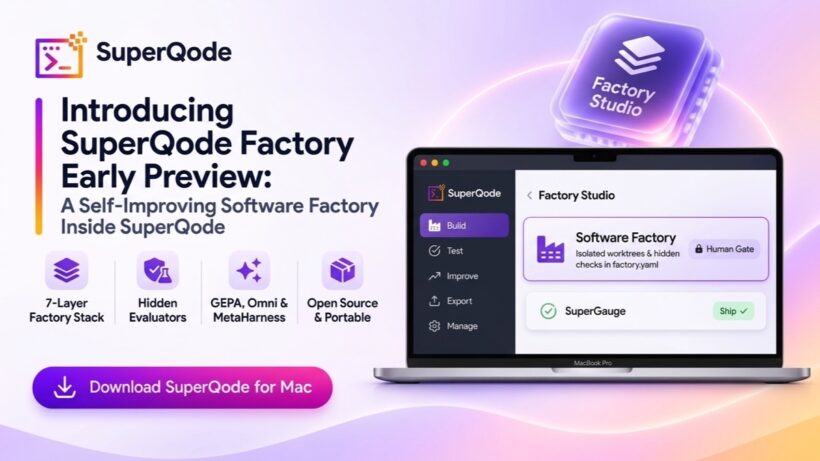
There is a lot of buzz around the term software factory right now. There is no standard definition behind it, and every team describes its own version based on its experience, tooling and the way it ships code. We were not convinced at first, because the phrase sounded like hype. Looking closer, teams everywhere are already building the same thing under different names and in different shapes: a repeatable system that turns a requested change into a reviewed, verified result. So we decided to build one ourselves, inside SuperQode.
SuperQode Factory sits alongside whatever software factory a team already runs. It gives developers a way to design their own factory interactively, measure it, improve it over time, and take it wherever they want to run it. While building it we studied the work already happening in this space. The Factory Stackpublished by the Warp team and the agent platform built by Factory stood out as the most thoughtful and promising approaches, and ideas shared by the Amp team shaped how we think about agents doing real engineering work. We noticed those ideas sit very close to WorkOrders, the durable task model SuperQode already has. Extending them was the natural path, so we grew WorkOrders into a software factory that follows the seven layer architecture described in the Factory Stack.
Today we are sharing SuperQode Factory as an early preview. The foundations are in place and usable today, and plenty of work is still ahead of us. We want people to try it, push on it and tell us where it falls short.
Why an open source, local first software factory matters
Leaders across the industry are telling engineering teams the same thing right now: stop treating coding agents like chat windows and build your own software factory. Most of the tools emerging in this space assume that a real software factory has to live inside a hosted cloud platform owned by a vendor, where your definitions, evaluation traces and improvement loops stay tied to one provider. We think developers should be able to learn, design, test and own their software factory locally first, directly inside their repository, before deciding where to scale it.
SuperQode Factory is built around that belief. Every piece of the system is Apache 2.0 open source and lives as plain, versioned files beside your code. You can design a workflow interactively on your Mac without connecting a model or creating a cloud account, run real trials in isolated Git worktrees with hidden evaluators that coding agents cannot read or game, require a SuperGauge verdict plus a cryptographic human signature before anything touches your working tree, and run metered optimization across native, GEPA, MetaHarness and Omni engines. When you are ready to run it on a CI runner, a Linux host or alongside another factory stack, you export the same definition and take it with you.
Seven layers, with governance across them
The Factory Stack published by the Warp team describes a software factory as seven layers that should be open, composable and defined in code: Factories-as-code, Data and context, Compute, Inference, Improvement, Orchestration and Access. We kept that stack and added governance across every layer, so budgets, permissions and release authority travel with the definition. A Factory lives in your repository as .superqode/factory.yaml, a versioned FactorySpec that follows the same order.
- Factories-as-code is the versioned definition itself, with its saved revisions and source commits.
- Data and context owns the repository, context and skill files, requirements and protected evaluator files.
- Compute places each task in its own isolated Git worktree, inside the operating system sandbox when that sandbox is enabled.
- Inference binds each stage to a SuperQode harness with its model policy and skills.
- Improvement carries acceptance checks and guarded experiments on harnesses, skills, routes and workflow.
- Orchestration describes stages, dependencies, human gates, revision loops and intake.
- Access is the set of interfaces that can operate the Factory: the macOS app, CLI, TUI, API and MCP.
Governance sits across all seven layers, recording permissions, budgets, configured signers and the release requirement, and it travels with the definition from compile through run, verification and release.
Factory Studio on macOS
Our priority is making the SuperQode macOS app the easiest place for anyone to build a software factory. Factory Studio lives under Harnesses, and its sidebar follows the life of a factory: Build, Test, Improve, Export and Manage. Choosing a harness or a model from Describe returns you to this screen. That choice does not open a coding thread, and it does not send a prompt.
Describe
Describe opens on What should this Factory do? Type the process and press Generate a draft…, and the app builds starter settings on the Mac. A model is optional, and when none is connected the confirmation says no model is called. Words in the sentence choose the workflow: kanban, scrum or sprint, XP, extreme programming, lean, deploy, or build together with test. When the sentence names none of those, the selected card is used. A connected model can still write a proposal. It receives only the description and the current definition, it has no tools, and it cannot change who is allowed to release. You read the assumptions, missing capabilities and the diff before you save.
Workflow cards
Under the description, Start from a workflow is a row of cards. Click one to load its settings, and the load does not call a model. If a draft is already open, confirm the replacement before the current text is overwritten. Fix and verify investigates a problem, makes a small fix, and checks it. Continuous outcomes delivers a change and keeps the feedback. Build, test, deploy builds the change, tests it, and waits before release. Kanban moves one item from selection to a reviewed finish. Scrum refines, builds, reviews, then notes the next improvement. XP names the story, writes the check, then implements it. Lean names the value, builds only that, then improves the flow.
Loading a card or a generated draft opens Definition & diff. Back to workflows returns to the cards, and the other button names the next action: check the definition, save the revision, review source changes, or prepare a trial. Nothing runs until that revision is saved and a trial is started.
SuperQode Factory Studio on macOS: designing a factory interactively, running a trial in isolated worktrees, verifying with hidden evaluators and inspecting SuperGauge evidence.
Configuration and acceptance
Under Build, Configuration writes the harness binding, the provider and model reference, the worker count, the time budget and the network permission into the draft, and lets you enroll this Mac as a Secure Enclave release signer under Advanced: release signing. Apply those fields before you save. Acceptance checks uses the same review, so a proposed verifier joins the definition only after you mark its expectations reviewed and save it.
Test and release
Test queues a trial as a WorkOrder that pins the Factory snapshot, and agents work in isolated worktrees with evaluator files removed from their checkout, so a worker cannot read the tests that will judge it or declare its own work finished. Verification then runs the pinned checks against a read only copy of the exact candidate. The Single trial page shows requirement tracing that links each requirement to its stages, tasks, artifacts and check results. Every check reads as passed, failed, blocked or never ran, and every requirement as covered, failed, blocked or uncovered, which makes it clear what was actually proven.
Release goes through a SuperGauge record bound to that revision and candidate with a ship, hold or reject verdict. Model judges may hold or reject a candidate and are never allowed to approve one. A ship verdict still waits for a person, who signs the release from the run with a Secure Enclave key on their Mac before the change is applied to the working tree. Under Test in Trial suites, a Failures & proposals inbox sorts failed runs into application defects, provider or runtime infrastructure problems, evaluation faults, model protocol issues, policy or budget limits and recovery problems, keeping teams from retuning an agent when the real issue was a broken provider or a faulty evaluator. Manage brings together source control, revision history, host isolation checks, intake receipts, verified handover packages, runtime recovery and operations.
Optimization is where we want to shine
Evaluation and optimization of harnesses is the real advantage in a software factory. A factory is only as good as the agents, skills, routes and workflow inside it, and the teams improving those pieces today mostly do it by hand, adjusting prompts and settings and judging results by feel. We want SuperQode Factory to automate as much of that loop as possible with tools we already build and support.
The Improve section of Factory Studio prepares pinned experiments for a harness, bound skill, primary model route or entry stage workflow goal and compares candidates against a baseline on held out evidence. You can pick the native evaluator and optimizer, GEPA, MetaHarness (our open source implementation of the Meta Harness research), or an Omni portfolio that lets all three compete on the same evaluation contract. GEPA and MetaHarness are bundled in the macOS app and available on the CLI through the optional optimization extra. Proposals from an external MetaHarness run or an Omni result can also be imported. Skills benefit from the same machinery through SkillOpt style skill optimization, and the broader optimization guide explains how running, measuring and optimizing a harness fit together.
Automation here comes with guard rails. Optimizer budgets are metered through one durable ledger, and a candidate is adoptable only when the comparison is complete, the criteria are unchanged, the pass rate is strictly higher, nothing regressed and the required budget evidence is present. Adoption loads a draft, and saving it, preparing a fresh trial and signing a release stay in human hands. After a revision ships, operators can record business outcomes against finished runs and compare them by revision, with costs that include failed attempts and optimization work, and unknown costs kept visibly unknown. Measured experiments, outcome comparison and human approved promotion are what we mean by a self improving factory.
Take your factory anywhere
SuperQode Factory is open source and runs on infrastructure you operate, with no hosted control plane required. The definition, revisions, evidence and workers stay with your repository and your hosts. Export creates a portable package containing editable sources, a resolved snapshot, a checksum manifest and operating instructions, and it leaves out runtime sessions, credential stores, history and release approvals. The same engine is fully available from the CLI, the TUI and MCP, so a factory designed in the app can keep running from a terminal or a server.
sq factory init --template fix-and-verify
sq factory sources inspect
sq factory sources commit --digest REVIEW_DIGEST --path .superqode/factory.yaml --message "Version the Factory" --confirm
sq factory check --application
sq factory trial "Fix the export freeze"
sq factory worker WORK_ID --live
sq factory verify WORK_ID --execute
sq factory evidence trace WORK_ID
sq factory decide WORK_ID
sq factory export --project .
Work can also arrive through explainable intake. Signed webhooks from GitHub, Linear and generic monitors, plus a local schedule source, produce receipts that record whether each item was queued, duplicated, filtered or rejected, along with a reason code and without raw task content or secrets.
Current Limitations
This is an early preview, and several pieces are still in progress. The first Factory compiler executes workflow stages on single agent native built in harnesses across your configured local or API models, while ACP, SDK and external coding agent runtimes (supported in interactive SuperQode sessions and WorkOrders) will receive explicit Factory compiler adapters next. The first protected verifier supports standard library Python CLI applications, while general application runtimes, third party toolchains, long running services and external HTTP dependencies need a supported execution contract before their results count as protected evidence. Evaluator path masking inside the worker sandbox requires SUPERQODE_SANDBOX set to workspace-write or read-only, since the default leaves the OS sandbox off. Running an exported factory anywhere other than the SuperQode CLI and macOS app needs an explicit adapter and fresh validation, and representative customer pilot evidence is still to come. A SuperGauge record measures one candidate against its pinned revision, which is different from production certification.
Get started
Install the SuperQode CLI and TUI:
curl -fsSL https://superqode.dev/install.sh | shIf SuperQode is already installed with uv, upgrade it with uv tool upgrade superqode. Download the macOS app, open a project, go to Harnesses and then Factory Studio, and start from Fix and verify or describe the factory you want. The installation guide, quick start and Software Factory documentationcover the full path, and we would love to hear what you build on superqode.dev.
Acknowledgements
We would not have built this without the thinking other teams shared first. Thank you to the Warp teamfor the Factory Stack, which gave the seven layer architecture its shape, to the Factory team for showing what an agent platform inside a software factory can look like, and to the Amp team for the ideas on agents doing real engineering work. Their work set the direction, and any mistakes in how we adopted it are ours.