
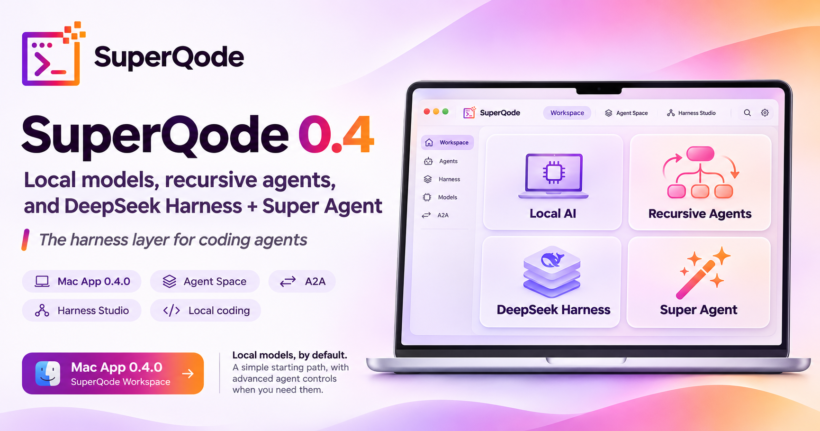
SuperQode 0.4.0 is the public beta of the Mac app, and the pages in this release are Local AI, Recursive agents, A2A, Monty, DeepSeek Harness, and Super Agent. Local AI is where you code with an Ollama or LM Studio model that is already installed. Recursive agents is the page labelled RLM, Monty, and A2A: a recursive language model can ask child agents to look at part of the work, and you choose whether that work runs On this Mac, In Docker, or With Monty. Talk to another agent (A2A) is the agent-to-agent setup on that page, and it stays off until you add a peer and save. DeepSeek Harness is a coding backend you choose when you want DeepSeek to run the loop and SuperQode to show the reply. Super Agent is the page titled Draft a Super Agent, where you describe a job and read the harness before anything is turned on. Getting started has a Super Agent lesson that says how those last two differ. You can download SuperQode 0.4.0 for Apple Silicon. The app is signed and notarized, for macOS 14 or later. The demo is below, after the recursive pages and before DeepSeek Harness and Super Agent.
A recursive language model, RLM, is for work that is too large to hand to one prompt. The model can ask a child agent to look at part of the repository, or part of the task, and bring an answer back, within limits you can see before you start. That is a different job from Local AI, where you pick a harness and a model and code in the thread, and a different job from Super Agent, where the first result is a harness you review rather than a code change. SuperQode 0.4 gives each of those jobs its own page and its own name. On 3 November we published SuperQode for macOS: The Complete Agent and Harness Development Engine. This post is about the pages you open in 0.4.0.
Local AI
Local AI is the page for a model that already lives on your Mac. You choose a harness that can run that model, you choose an Ollama or LM Studio model that is already installed, and you press Start coding. Downloading a model is a separate action, so the start path is the model you have, not a catalog you still have to fetch. If a harness such as DeepSeek Harness is not installed yet, its row offers the install, and you come back to the same three steps when that install is ready. After Start coding, SuperQode warms the model you selected, so the first prompt is not the cold load. The reply appears in the thread. A DeepSeek reply that arrives as one message is shown there too. Ollama thinking stays off unless you set a reasoning effort.
You do not have to set a context size before you can start. Context and server… is on the model step when you want it. A server that is already running keeps the context it was started with until you start it again. Send stays available after Start coding, including while a local server job is still running. Each thread can be deleted. The conversation is where the work shows up. Starter suggestions on a new thread come from a curated list, and a suggestion is marked tested only after a passing Mac run was imported on purpose. For a smaller local model, the SuperQode harness uses a shorter prompt and a smaller set of tools, your own instructions still apply, and an invalid tool call is not run.
Recursive agents, and the RLM page
Recursive agents opens on the line RLM, Monty, and A2A. The page says what that means in plain language: a recursive language model can ask child agents to look at part of the work, and the page explains the three boundaries. It also says this is not the way to start ordinary coding. Nothing on the page downloads a model, starts a server, or sends a prompt. If you are getting started, the page points you back to Local AI. If no project is open, the choices stay disabled until you open one. The RLM documentation is the longer reference for the harness behind the page. Choosing a boundary then asks you to choose a model, the same model step you already know.
There are three boundaries, and each one tells you what the child agents are allowed to touch. On this Mac is persistent Python. It runs as you, with no approval prompt. It can edit the project and start child agents. In Docker runs that Python in a container. Writes stay in the container, networking is off, and Docker has to be running. When Docker is not running, the card is disabled and says why. With Monty is the read-only boundary, described on its own below. Every card shows the limits you are agreeing to: depth 3, 8 children, and 4 at once. Every card also says that A2A starts off. You read that before you press Choose On this Mac and a model, Choose In Docker and a model, or the Monty equivalent.
Monty
With Monty is the read-only way to let a recursive agent look through a repository. The card says it plainly: read-only Python, no files, no shell, and no network. It is for looking, not for changing the project. If Monty is not installed, the card offers Install Monty. When it is installed, you choose With Monty and a model, the same way you choose the other two boundaries. The Monty check on Super Agent is a different button on a different page: there, Monty only prints a template after you have saved a draft, and that check is not installed into the app. On Recursive agents, Monty is the boundary itself. In a thread that is already on With Monty, follow-up, steer, cancel, goal, and autonomous controls stay unavailable, because that boundary cannot write, run a shell, or start another recursive run.
A2A, agent to agent
Talk to another agent (A2A) is its own section on the Recursive agents page. A2A is the agent-to-agent protocol. Set up A2A… opens the form where you add a peer. Agent-to-agent stays off until you add that peer and save. Hosted agents and credit limits stay off until you turn them on. You can also reach one remote agent from Connect, under Protocols, without using RLM at all. If the thread is not already on On this Mac, In Docker, or With Monty, Set up A2A… selects On this Mac first, and the page says so. That selection does not turn A2A on. The three cards repeat the same fact in small type: A2A starts off.
Once a thread is on one of those three boundaries, or on DeepSeek Harness, Agents shows which boundary is running, the same limits, and the child agents already recorded. Follow-up, steer, cancel, goal, and autonomous gates are there when a run on this Mac or in Docker is already going. They do not start a run by themselves. Autonomous gates stay off until you turn them on. With Monty, those controls are refused. On DeepSeek Harness, Agents shows when a child agent starts and when it finishes. This is the place you look when a recursive run is in progress, rather than a second setup page.
Watch the 0.4 demo
The demo for this release is SuperQode 0.4: Local models, recursive agents, and DeepSeek Harness Super Agent. It is the walkthrough for the pages above and the two pages that follow: DeepSeek Harness, and Super Agent.
DeepSeek Harness
DeepSeek Harness is the coding backend you open when you want DeepSeek to do the work in the thread. On Local AI, choose DeepSeek Harness. If that row asks you to install it, install it there, then pick a model that is already on your Mac and press Start coding. In Agent Space you type the request and press Send, the same way you would with any other harness. DeepSeek runs the agent loop. SuperQode hosts that loop and shows the reply, including a reply that arrives as one message. While that thread is running, Agents can show a child agent starting and finishing. The DeepSeek Harness documentation is the setup reference, and the loop itself is the DeepSeek Harness project.
DeepSeek Harness is the tool you use when you want code in the conversation now. It is a harness you select and then talk to. It is separate from the plugin catalog published with DeepSeek, and separate from Super Agent, which prepares a harness for you to read before that harness is allowed to run. The names sit near each other in the app because people reach for both, and Getting started, below, is there so you open the one you mean.
Super Agent
Super Agent opens on Draft a Super Agent. You describe a job for the open repository, and SuperQode prepares a harness you can read before anything is turned on. The page shows which step you are on. Open a project first, because the draft belongs to that repository and Draft stays off until one is open. Describe the job under What should this agent do? The box stays empty until you type. The example on the page is only guidance: review this repository and suggest one small fix, and do not edit files until you say so. The limit is 4,000 characters. Press Draft Super Agent. That prepares a review. Nothing is saved, nothing is turned on, and changing the text clears the review so you are always looking at the description you just wrote.
The review is five sections you read before you keep it: Harness definition, Who writes the next prompt, Monty check, Skill note, and Work program. Write why you are saving, then press Save reviewed draft. The reason is required. Saving keeps the review in the project and leaves the harness off. Run Monty check is optional, and only after that save. It prints a template. It does not call a model, and it is not installed. If Monty is missing, the check is refused and is not run on this Mac. Enable the saved revision needs a provider and model already on the draft. If they are missing, choose them in Agent Space and draft again. You can still save, and you can still run the Monty check, before a provider is chosen. Enable selects that harness in Agent Space. You still type a request and press Send. The app tells you that Super Agent is selected, that it is not installed into the app, and that no prompt has been sent.
DeepSeek and Super Agent
Recursive agents ends with a section titled DeepSeek and Super Agent, with three buttons: Open Super Agent, Open Local AI, and Learn the difference. That section is how the RLM page hands you to the other two tools without mixing them into the three boundaries. Open Super Agent goes to Draft a Super Agent. Open Local AI goes to the local model page, where DeepSeek Harness is one of the harnesses you can choose. Learn the difference opens Getting started on the Super Agent topic. The Super Agent page has the same explanation under What is Super Agent, and how is DeepSeek Harness different?
Getting started and learning includes that Super Agent topic beside Start coding, Review your work, Harnesses, and Go further. The lesson walks the draft, says what drafting does, says what the Monty check prints, and then says when to use DeepSeek Harness instead: when you want DeepSeek to code in the thread. From the lesson, Open Super Agent stays disabled until a project is open, and Open Local AI is available when you want the coding backend first. Opening either page does not install DeepSeek, and it does not turn a draft on. Use Super Agent when you want to review a harness before it is allowed to work. Use DeepSeek Harness when you want DeepSeek to code in the thread.
Harnesses on local models
Harnesses on local models is the page for a reviewed local harness when you already know which one you want. You choose the SuperQode harness, OpenCode, or Goose, together with a model that is already loaded in Ollama or LM Studio. You review the launch, you write the first message, and you press Start thread. Start thread sends that message and can begin project work. Opening the page does not install a harness, download a model, or send a prompt. A pair that is ready is marked configured after the checks on that page pass. A small model can still fail a coding task after that, so configured means the launch was accepted, and the thread is where you see whether the model can do the job.
Download SuperQode 0.4.0
SuperQode for macOS 0.4.0 is the public beta for Apple Silicon Macs running macOS 14 or later. Download the signed, notarized DMG and check it against the checksumbc3b12addd92567cf71bf5413847be6c58f25c432675b35eb5473d647394b70b. Open a project. For a model already on the Mac, open Local AI, choose a harness, choose the model, and press Start coding. For a child agent that looks at part of the work, open Recursive agents and read RLM, Monty, and A2A before you choose On this Mac, In Docker, or With Monty. Set up A2A when you want a peer, and leave it until then. For a harness you want to read before it runs, open Super Agent and stop at the review. For DeepSeek in the thread, choose DeepSeek Harness on Local AI. The 0.4 demo is above, and the documentation covers the same pages. Questions and rough edges belong in GitHub issues.