
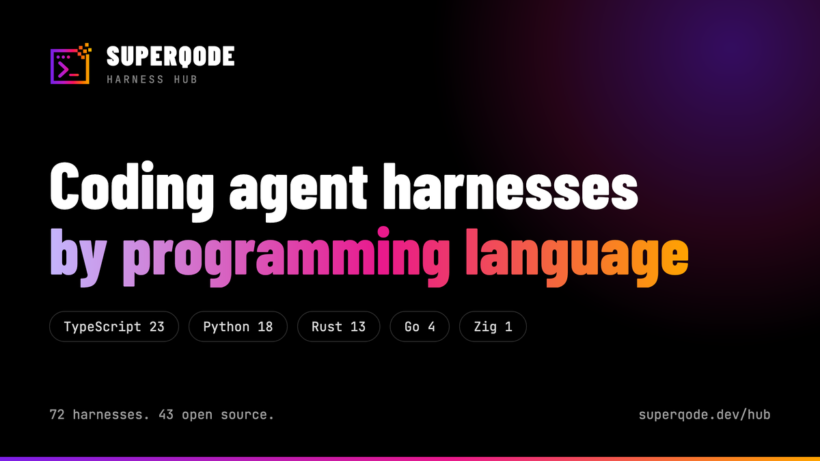
SuperQode 2.2.0 is out, and the Harness Hub now records what every coding agent harness is written in. You can filter the catalogue by language on the web, in the terminal and from the command line, see how the harness market splits across Python, TypeScript, Rust, Go and the rest, and connect anything you find without leaving SuperQode.
Where this fits
We shipped SuperQode v2 as the harness interoperability layer for coding agents, and the Harness Hub is the part of it that maps the market. Every harness we know about has an entry carrying its runtime, provenance, licence and setup, and the whole catalogue is one JSON fetch for anyone who wants to build on it. The Hub was a catalogue you read, and it is now a catalogue you act on. Every entry is either a harness SuperQode runs natively, an agent it connects to over ACP, or a project we track and document the attach boundary for. Of the 72 harnesses listed today, 43 are open source and 47 are reachable over ACP, and an agent you can reach two ways appears once with both routes on its page.
Browsing by language
The Hub opens with the language split across the top: TypeScript 23, Python 18, Rust 13, Go 4, JavaScript 2, Kotlin, Shell and Zig one each, with 9 entries whose language is not published. Click one and the grid narrows to it. The same filter exists as a dropdown, and language is part of the search index, so typing “rust” finds Rust harnesses without touching a control. This matters when the harness has to live in your environment. A Python shop adding a coding agent to an existing toolchain has different constraints from a team that would prefer a single compiled binary with no runtime to manage, and until now the Hub could tell you the licence and the setup while leaving you to work the language out from the install command.
# every Python harness in the catalogue
superqode hub --language python

# language, confidence and the evidence behind it
superqode hub show acp:openhands

# browse and filter in the terminal
superqode
:hub
Reading the build manifest, not the language bar
The obvious approach is to read the language bar on each project’s GitHub page, and it produces wrong answers often enough to be useless. OpenHands is the clearest case. GitHub reports it as 94.4% TypeScript and 0.3% Python, because the repository contains a large web frontend, while the agent itself is Python and ships as the openhands package on PyPI. Anyone filtering by GitHub’s language statistics would file one of the better known Python agents under TypeScript.
So we went to each project’s own build manifest instead. A Cargo.toml means Rust, a go.mod means Go, a pyproject.toml means Python, and a build.zig means Zig, which is how fx from Vercel Labs turns out to be the only Zig harness in the catalogue. Where a project is closed source, the language is read off what it actually ships. Cursor distributes a Node single executable alongside its webpack bundles, Devin’s own installer names a Cargo binary target, which settles it as Rust, and Google’s Antigravity CLI ships one self-contained Go binary.
Confirmed, or inferred
Every entry states how firmly the language is known, and shows the evidence. A confirmed language comes from a build manifest, from GitHub’s own statistics where they agree with it, or from something the vendor states outright, while an inferred language is read from a closed product’s distribution, which is honest but could move if the vendor changes how it packages. The Hub marks inferred entries with a tilde in the terminal and with the word in brackets on the web, and each harness page carries a line explaining where the answer came from, so the OpenHands page tells you the repository’s TypeScript majority is its web frontend and you can check the reasoning instead of taking the label on trust. Those three fields are in the published catalogue as language, language_confidence and language_evidence at schema 1.6, so anything you build on hub.json gets them too.
Connect what you find
Filtering is only useful if it leads somewhere. Every harness page carries its official repository, homepage and documentation, the command that installs it, and the command that starts it inside SuperQode. Native harnesses run in the SuperQode engine, everything else connects over ACP with the plan or the key you already hold, and the session carries across a switch.
Harness Hub in the terminal
The Hub is a first-class terminal surface. Run superqode and type :hub to browse the same records, filter by language from a row of named buttons, and inspect a harness to see its language, its launch command and its links, where highlighting an entry shows what you need to choose it and pressing iexpands the setup steps, tools, policies and commands. Connecting has its own path: :connect now offers a By language screen alongside Subscriptions, ACP, Open harnesses and Closed harnesses, and choosing Python gives you 16 routes covering vendor subscriptions, key harnesses, ACP agents and the four harnesses that ship with SuperQode. From a shell, superqode hub --language python answers the same question in one line, and superqode hub show prints the language, its confidence and its evidence for any entry.
What the audit turned up
Establishing the language for 104 catalogue records meant reading every project’s manifest, and that surfaced a second problem. We checked all 229 links and every install command in the catalogue, and found entries that had drifted since they were written. Five install commands fetched unrelated software: cargo install fount installs a Fountain screenplay editor and npm install -g crow-cli installs a Crystal transpiler, both name collisions where somebody else registered the name first. Eight commands named packages that no longer exist or never did, three agents were listed under an npm scope belonging to a different vendor, which was our own error and is now corrected, and seven repository URLs answered 404 or pointed at the wrong project, including OpenCode, whose entry still referenced the archived 2024 Go version of the project long after it moved.
None of this reflects badly on the projects involved. Package names collide, repositories move, and a catalogue entry written six months ago describes the world as it was six months ago. The lesson we took is that a catalogue needs checking on a schedule, so verification now runs as part of the release.
Exo: New in the Hub
Ecosystem watch picked up Exo, an MIT-licensed recursive agent and harness architecture with a Rust core and TypeScript harnesses. Exo separates durable agent state from agent logic, so a run can stop, resume, fork and rewind, and the agent can edit the harness it runs on. SuperQode does not attach it yet, and its page documents why. SuperQode itself is now listed, which felt overdue for a catalogue it publishes, and its four built-in harnesses, Core, RLM, PiPy and Workbench, appear under their own names.
Get started
Browse the Hub at superqode.dev/hub, or install SuperQode and type :hub. Everything here is Apache-2.0. The quick start and full documentation are at docs.superqode.dev, the package is on PyPI, and the source is at github.com/SuperagenticAI/superqode. If a harness we list has the wrong language or a broken command, open an issue and we will correct the entry.