
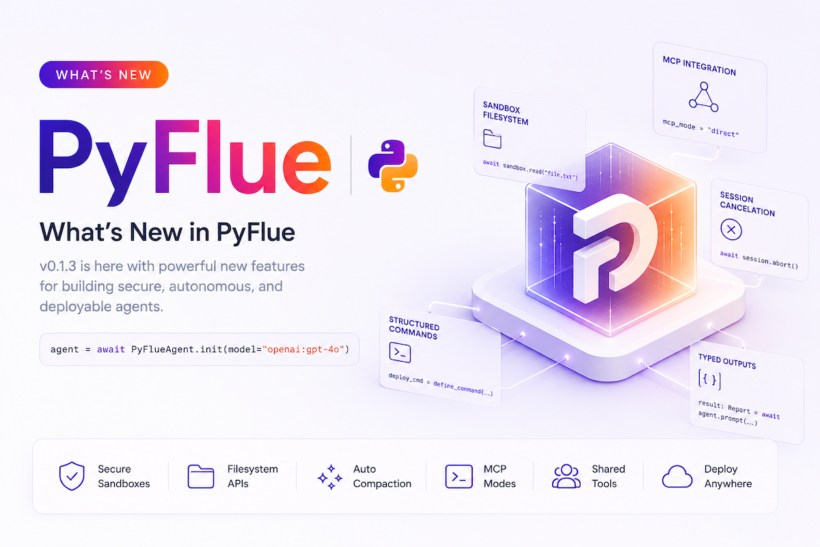
Thrilled to announce the release of PyFlue v0.1.3. This major update introduces significant enhancements to the framework. PyFlue is the official Python port of the recently launched Flue framework (flueframework.com), which has quickly gained strong interest in the AI agent community for its innovative agent harness approach. PyFlue brings these capabilities to Python developers, enabling the creation of secure, autonomous, and deployable agents with minimal code.
This release adds powerful support for client and server architectures, MCP integration, sandboxed filesystem operations, structured commands, session cancellation, and much more. Below is an in-depth exploration of each new feature, with concise code examples to help you begin using them immediately.
DeepAgents Backend Enhancements
The DeepAgents backend now includes sandbox-backed filesystem tools for secure and isolated file operations. Task delegation supports sophisticated workflow orchestration, and streaming tool events deliver real-time feedback. Provider settings offer finer control over sandbox configuration, while scoped working directories ensure isolation between sessions.
You can configure provider-specific settings directly in your code:
from pyflue import PyFlueAgent

agent = await PyFlueAgent.init(
    model="openai:gpt-4o",
    harness="deepagents",
    sandbox="daytona",
    providers={
        "daytona": {
            "api_key": "your-api-key",
            "base_url": "https://api.daytona.io"
        },
        "e2b": {
            "api_key": "your-e2b-key"
        }
    }
)
Expanded Sandbox Filesystem API
Version 0.1.3 adds a comprehensive set of sandbox filesystem APIs. These include metadata retrieval, existence checks, directory creation and removal, and binary-safe read and write operations. Developers can now build robust tools that interact with the filesystem in a secure, controlled manner.
from pyflue import PyFlueAgent, Sandbox

agent = await PyFlueAgent.init(sandbox="virtual")
sandbox = await agent.create_sandbox()

exists = await sandbox.exists("config.json")
metadata = await sandbox.stat("data.bin")
data = await sandbox.read_binary("image.png")
await sandbox.write_binary("output.bin", b"\x00\x01\x02\x03")
await sandbox.mkdir("data/output")
await sandbox.rm("temp/cache")
await sandbox.rmdir("data/old")
Runtime Context Discovery
PyFlue automatically detects and loads contextual information from AGENTS.md, CLAUDE.md, and local skills files in the active sandbox environment. Agents can now adapt dynamically to their surroundings.
from pyflue import PyFlueAgent, load_project_instructions

instructions = await load_project_instructions(root_dir="/path/to/project")

agent = await PyFlueAgent.init(skills_dir="./.agents/skills")
Directory-Style Skill Support
Skills can now be organized in a directory structure under .agents/skills with relative file lookup. This change simplifies management of complex skill collections.
.agents/
├── skills/
│   ├── coding/
│   │   ├── code_review.md
│   │   └── refactor.md
│   ├── docs/
│   │   ├── write.md
│   │   └── update.md
│   └── data/
│       ├── analyze.md
│       └── visualize.md
└── AGENTS.md
Typed HTTP Error Envelopes and Webhook Validation
Typed HTTP error envelopes provide structured error responses for HTTP integrations. Webhook request validation has been strengthened for improved reliability and security.
Structured Session History
Session history now includes compaction records, task metadata, child task tracking, and recursive cleanup. These features deliver better visibility and efficient resource management.
Automatic Token-Based Compaction
Automatic compaction triggers before long prompt turns, with a built-in context-overflow recovery retry. Context window limitations are managed gracefully.
from pyflue import PyFlueAgent

agent = await PyFlueAgent.init(
    model="openai:gpt-4o",
    compaction_enabled=True,
    compaction_context_window_tokens=6000,
    compaction_reserve_tokens=500,
    compaction_keep_recent_tokens=2000
)

result = await agent.prompt("Analyze this large codebase and provide insights")
MCP Direct Mode and Search/Execute Mode
MCP direct mode enables streamlined integration with the Model Context Protocol. Search/execute mode adds configurable server loading and tool search capabilities, expanding interoperability.
from pyflue import PyFlueAgent
from pyflue.mcp import McpServerConfig, McpMode

# Direct mode
agent = await PyFlueAgent.init(
    mcp_servers={
        "filesystem": {
            "command": "npx",
            "args": ["-y", "@modelcontextprotocol/server-filesystem", "/tmp"]
        }
    },
    mcp_mode="direct"
)

# Search/execute mode
agent = await PyFlueAgent.init(
    mcp_servers={"github": {"url": "https://mcp.github.com"}},
    mcp_mode="search_execute",
    mcp_search_limit=10,
    mcp_search_backend="bm25"
)
Agent-Wide Tools and Commands
Agent-wide tools and command grants can now be shared across agents. The PyFlueCommand class and define_command() function simplify creation of reusable shell or callable tools.
from pyflue.types import PyFlueCommand, define_command

deploy_cmd = define_command(
    "deploy",
    "bash scripts/deploy.sh",
    description="Deploy to production",
    cwd="/app",
    env={"ENV": "production"},
    timeout=300
)

agent = await PyFlueAgent.init(commands=[deploy_cmd])
Session Abort and Cancellation
The new session.abort() method includes active operation tracking and cancellation events. Max task depth limits and parent-to-child cancellation propagation provide fine-grained control.
Richer Typed Result Extraction
Support has been added for extracting typed results from delimited JSON, raw JSON, fenced JSON, and embedded JSON within free-form text.
PyFlueClient for Deployed Server Usage
The new PyFlueClient class supports health checks, agent listing, prompt operations, typed parsing, route calls, and SSE streaming for robust client-server architectures.
Build Plugins and Deployment Targets
Build plugins are now available for Uvicorn, Docker, Lambda, Cloud Run, and Cloudflare Containers. These tools simplify deployment across platforms.
pyflue build uvicorn --output dist/
pyflue build docker --tag myapp:latest
pyflue build lambda --handler app.handler
CLI Enhancements
New CLI commands include pyflue routes, improved pyflue dev with .env loading, pyflue invoke, and pyflue status. Truncation messages for large outputs have also been refined.
Documentation and Examples
Comprehensive documentation now covers MCP, configuration, built-in tools, structured commands, cancellation, client usage, deployment, and session behavior. A model-free server and client smoke example is included in examples/server_client/.
All Features of PyFlue
PyFlue is a powerful Python-first framework for building intelligent agents. It provides a complete set of capabilities for sophisticated AI-powered applications.
Core Capabilities
- DeepAgents backend with seamless model provider integration
- Markdown skill loader for flexible agent definition
- SQLite-based session management for persistent history
- Virtual sandbox for secure execution
- Pydantic typed outputs for type-safe data handling
- Typer CLI for intuitive command-line interaction
Integration Features
- Multiple sandbox providers (Daytona, E2B, Modal, Runloop)
- Optional Monty Python backend for host-side execution
- Normalized streaming events with CLI and SSE support
- Markdown roles and route triggers
- Secret grants with strict command policies
- Per-session virtual sandbox persistence
Deployment Options
First-class support for Uvicorn, Docker, Lambda, Cloud Run, and Cloudflare Containers. Build plugins handle packaging and configuration for production environments.
Developer Experience
Full documentation, product-oriented example agents (issue triage, data analysis, coding, support automation), and seamless Model Context Protocol integration.
This release marks a significant milestone, bringing PyFlue to full parity with the Flue vision while adding Python-native strengths. Early community feedback on X highlights strong interest in the Python port, particularly among developers seeking Flue’s harness model without leaving the Python ecosystem.
We encourage you to explore the new features, experiment with the examples, and share your feedback. The repository, documentation, and quickstart guides are available at the links below:
- GitHub: https://github.com/SuperagenticAI/pyflue
- Documentation: https://superagenticai.github.io/pyflue/
- Website: https://super-agentic.ai/pyflue
Thank you for being part of the PyFlue journey. We look forward to seeing what you build.